 DE
DE  EN
EN DAM Blog
Everything about Digital Asset Management
Cavok and WordPress - bringing content workflows together

As content grows, clarity often disappears
Websites are rarely the problem today. Content is.
WordPress makes it easy to create pages, launch campaigns, and publish new content — without requiring a technical background. That is exactly its strength. At the same time, however, it is often where things start to get messy: media files end up stored in different places, uploaded multiple times, named inconsistently, and eventually become difficult to find.
Images are stored on local devices, inside the WordPress media library, maybe in a cloud folder or on a server. Videos are stored separately. Documents exist in versions called final_v3_new.pdf.
The result is rarely dramatic — but its inefficiencies add up over time.
Between creativity and chaos
Content teams know this all too well:
An image is urgently needed, but nobody knows where the latest version is stored.
A video needs to appear on several pages — but without being uploaded three separate times.
An agency is involved, but does not have access to all relevant assets.
Suddenly, the focus is no longer on content itself, but on organisation.
And that is exactly what should stay in the background.
WordPress can do a lot — but has its limits
WordPress is a powerful tool for content creation and website management. It is fast, flexible, and the first choice for many teams.
What WordPress is not designed to be is a central system for managing media across multiple projects, teams, or channels.
The media library serves its purpose well — but as soon as content needs to be reused across platforms, versioned, or managed in a structured way, its limitations become clear.
When managing content becomes more complex
This is where a DAM system changes the picture.
What if media assets were not simply stored, but actively managed?
Not just "uploaded", but:
- organised in a structured way
- searchable through metadata
- versioned and traceable
- centrally accessible for everyone involved
This is exactly where a Digital Asset Management (DAM) system comes in.
Cavok as the central source for media
Cavok is a browser-based DAM system designed to centrally store, manage, and provide digital assets.
Images, videos, documents — everything in one place, clearly organised and easy to find.
No duplicate uploads. No uncertainty around versions. No scattered data sources.
For teams, that means less chaos and far more clarity.
How does this fit into WordPress?
The real question is how both systems work together.
WordPress remains the platform for the website.
Cavok becomes the central source for all media assets.
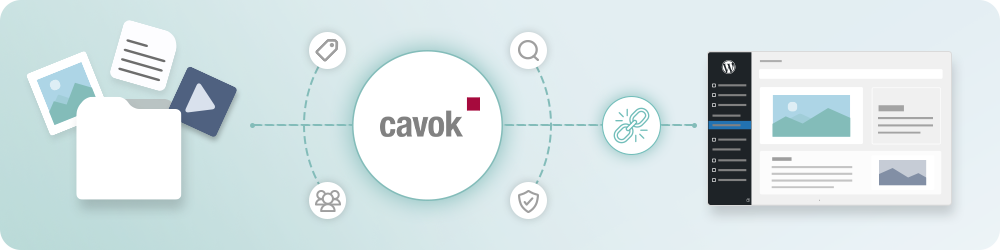
Using a WordPress plugin, both systems can be connected so that content is available exactly where it is needed — without adding extra steps.
Integration that fits naturally into the workflow
What matters is not simply that two systems are connected — but how.
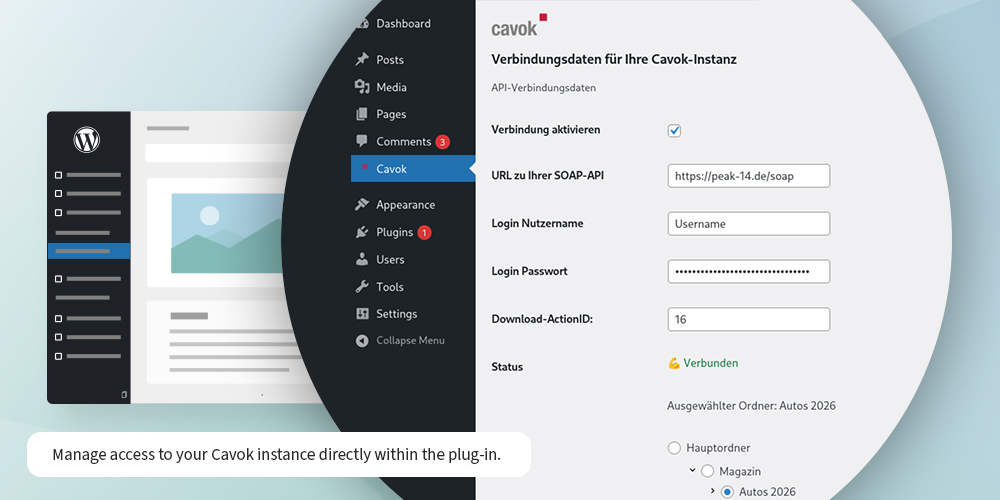
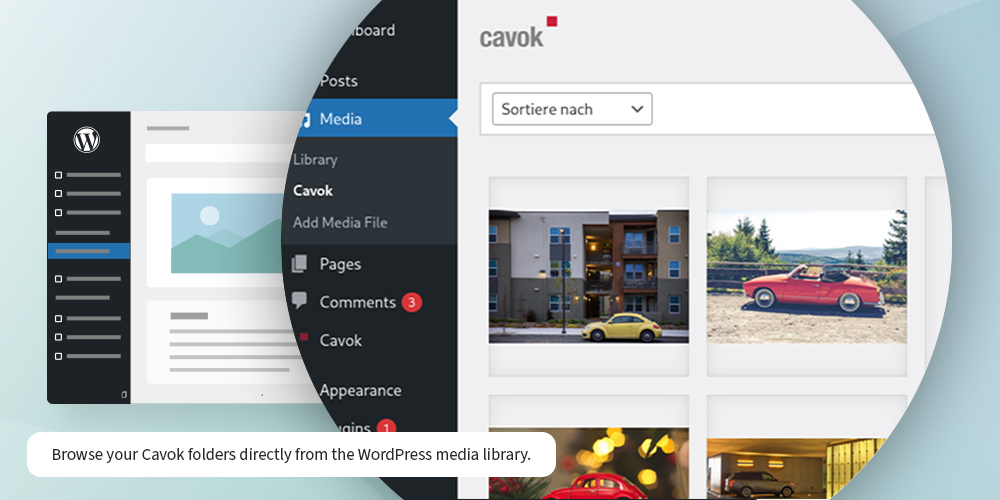
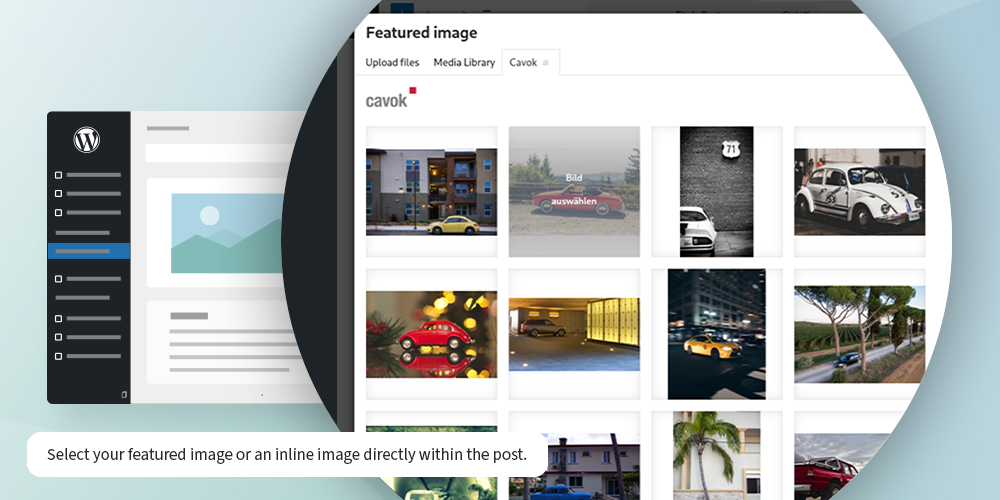
The Cavok WordPress plugin integrates directly into the existing workflow. Media assets from Cavok appear inside the WordPress media library and the familiar image picker — exactly where content is created.
No additional login. No new processes.
Most of the heavy lifting happens in the background:
- content is loaded live from Cavok
- assets are only transferred into WordPress when they are actually used
- required image sizes are automatically generated by WordPress
- no manual post-processing required
For editorial teams, this means working exactly as before — just far more efficiently.
Clear roles, less friction
Not everyone in a team needs access to everything.
Through the integration, Cavok remains the central platform for structure, permissions, and asset management. At the same time, editors working in WordPress can access selected assets directly — without having to learn another system.
Folders can be browsed, content filtered, and assets used immediately.
The experience feels exactly like working in WordPress.
Stable, secure, and unobtrusive
Technically, the integration is intentionally designed to stay in the background:
- no interference with the WordPress architecture
- no conflicts with existing plugins
- automatic updates and continuous development
Most importantly, data only moves in one direction — from Cavok to WordPress.
Nothing is written back to Cavok.
This protects the integrity of the data and prevents unintended changes.
A system that grows with you
As the amount of content increases, so do the requirements.
Metadata can be used, content can be filtered, and workflows can be automated. Even media updates can be centrally managed and reflected directly within WordPress.
At the same time, the system remains flexible — from simple use cases to deeply integrated workflows, depending on individual needs.

When two systems become one workflow
Combining WordPress and Cavok does not add complexity — it removes it.
Less searching.
Less coordination.
Less duplicated work.
Instead, teams gain a seamless workflow that feels structured, consistent, and intuitive.
Next step
Whether as an extension to existing WordPress projects or as an enhancement to an existing Cavok setup, connecting both systems opens up new possibilities for managing content.
Often, a short conversation is all it takes to explore what this could look like in practice.